Trackinno Maintenance
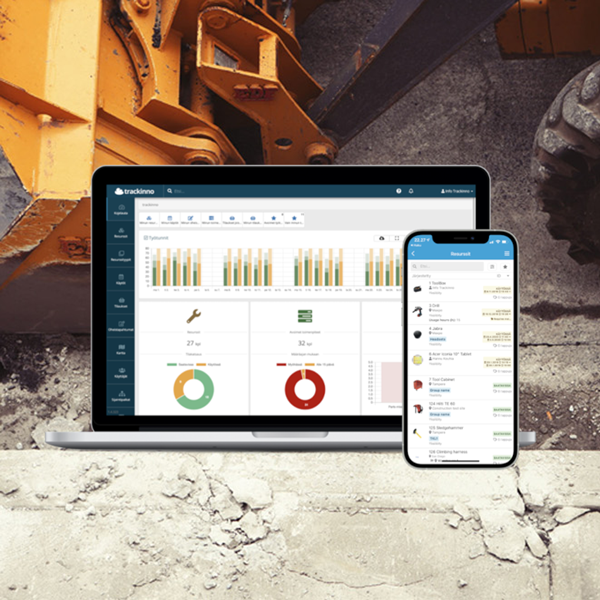
Trackinno Maintenance is a modern system for companies providing maintenance and field service. It brings customer site asset registers, work orders, field work, and documentation together in one place.
Do you recognize these maintenance challenges?
For many companies providing maintenance and field service, daily operations are fragmented. Asset information is scattered, fault repairs are delayed, and field work requires manual reporting.
Asset data and maintenance history are scattered
Information about customer assets is stored in spreadsheets, emails, or technicians’ notes. Tracing maintenance history takes time, and critical information can easily be lost.
The Trackinno solution:
- Each customer site asset has its own asset card within a hierarchical structure. All maintenance records, documents, instructions, and attachments are stored in one place and are always available, both to supervisors and technicians, also on mobile.
Preventive maintenance doesn’t happen on time
Without reminders, agreed service intervals and mandatory inspections are easily forgotten. The customer may only realize the issue once the equipment has already failed or when an authority inspection is approaching.
The Trackinno solution:
- Create maintenance programs that automatically generate work based on defined cycles (time, operating hours, or mileage). The system reminds supervisors of upcoming maintenance tasks, ensuring customer assets stay on schedule without manual tracking.
Fault reports are routed inconsistently
Customers call, send emails, or text messages. Reports don’t always reach the right people, and urgent issues get buried in inboxes. There is no clear structure or ownership.
The Trackinno solution:
- Customers can submit a fault report directly from the asset by scanning a QR code, without logging in. The report is automatically linked to the correct asset and routed to the maintenance team. Responsible persons are notified immediately, and the progress of the work can be tracked in the system.
Asset data and maintenance history are scattered
Information about customer assets is stored in spreadsheets, emails, or technicians’ notes. Tracing maintenance history takes time, and critical information can easily be lost.
The Trackinno solution:
Preventive maintenance doesn’t happen on time
Without reminders, agreed service intervals and mandatory inspections are easily forgotten. The customer may only realize the issue once the equipment has already failed or when an authority inspection is approaching.
The Trackinno solution:
Fault reports are routed inconsistently
Customers call, send emails, or text messages. Reports don’t always reach the right people, and urgent issues get buried in inboxes. There is no clear structure or ownership.
The Trackinno solution:
Field work requires manual reporting
Technicians fill out paper forms or send reports by text message. In the office, the information has to be re-entered into the system. Photos are sent separately by email. The process is slow and prone to errors.
The Trackinno solution:
- Technicians document their work directly in the mobile app, including photos, used materials, working hours, and notes. Everything is automatically saved to the asset’s maintenance history and is immediately visible to supervisors. No duplicate data entry.
Reporting takes too much time
Customers want service reports and maintenance history. Collecting data from multiple sources, attaching photos, and formatting reports can take hours per customer.
The Trackinno solution:
- The system automatically generates ready-made service reports. Customers can be given limited access to view only their own sites and maintenance history. Reports can be generated and shared in just a few clicks.
Supervisors lack a clear overview
Supervisors don’t have real-time visibility into which tasks are open, which are urgent, who has available capacity, or which jobs are waiting to be invoiced. Daily operations rely on memory and constant phone calls.
The Trackinno solution:
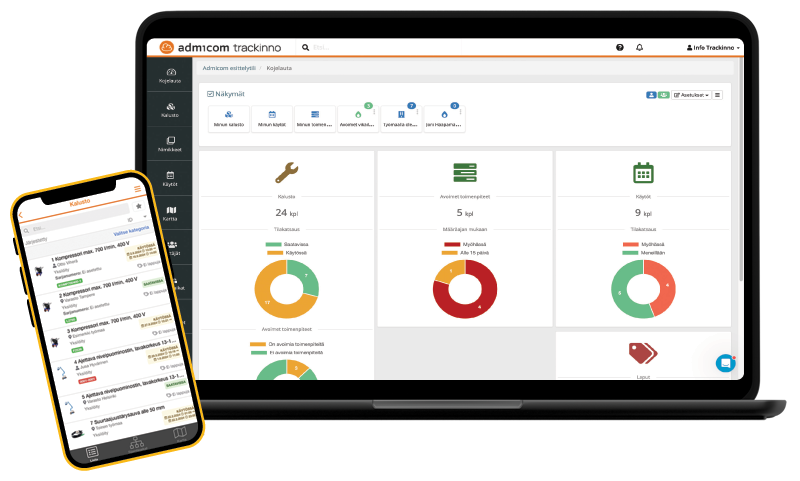
- The dashboard provides real-time visibility into open tasks, priorities, resource allocation, and unbilled work. Supervisors can see the full situation at a glance and prioritize work efficiently, with no need to call technicians throughout the day.
Field work requires manual reporting
Technicians fill out paper forms or send reports by text message. In the office, the information has to be re-entered into the system. Photos are sent separately by email. The process is slow and prone to errors.
The Trackinno solution:
Reporting takes too much time
Customers want service reports and maintenance history. Collecting data from multiple sources, attaching photos, and formatting reports can take hours per customer.
The Trackinno solution:
Supervisors lack a clear overview
Supervisors don’t have real-time visibility into which tasks are open, which are urgent, who has available capacity, or which jobs are waiting to be invoiced. Daily operations rely on memory and constant phone calls.
The Trackinno solution:
Who is Trackinno Maintenance for?
- You provide maintenance for customer sites, including HVAC, electrical, ventilation, or elevator systems
- You manage multiple customers and hundreds of assets under maintenance
- You need a systematic way to manage maintenance programs and fault reports
- You invoice customers for work, materials, and service visits
(with the Trackinno–Ultima integration)
- You manage the technical maintenance and servicing of buildings
- Your customers include property managers, real estate companies, and large commercial properties
- You need a clear customer view and reporting
- Public QR codes enable residents to submit service requests directly
- You service specialized equipment such as fire safety systems, cooling units, compressors, and generators
- Equipment requires regular inspections and regulatory approvals
- You need accurate documentation and maintenance history tracking
Why customers choose Trackinno Maintenance?
-
A complete overview for supervisors
Trackinno creates cycle-based maintenance programs that automatically generate tasks at the right time. The dashboard provides real-time visibility into all open tasks, their urgency, and resource allocation. Fault reports are routed directly into the system via QR codes, allowing tasks to be assigned to technicians immediately. All maintenance activities are recorded transparently in the history, ensuring full traceability.
-
Ease of use for technicians
The system builds a hierarchical asset register where each asset can be uniquely identified with a QR code. Technicians scan the code to instantly access the asset’s maintenance history, documents, and instructions. The mobile app shows only the most relevant information, allowing quick job completion and documentation. Errors are reduced as work is always linked to the correct asset.
-
Transparency for customers
The system automatically generates ready-made service reports and maintenance history views. Customers can be given restricted access, allowing them to view only their own sites and asset maintenance history. With public QR code actions, customers can submit fault reports and service requests directly from the asset — without logging in.
-
Seamless integration with Ultima
The Trackinno–Ultima integration brings materials, completed tasks, and invoicing together into one seamless workflow. Data recorded during field work is automatically transferred to Ultima, eliminating duplicate data entry. All completed work appears in the invoicing queue, ensuring that nothing is accidentally left uninvoiced.
Public QR code actions are a unique feature on the market
Trackinno Maintenance includes a feature that allows your customers to submit fault reports or service requests without logging in, simply by scanning a QR code with their smartphone.
How it works:
1. Attach a QR code to the asset or site
(e.g. air handling unit, elevator, cooling unit)
2. The customer scans the QR code with their smartphone — no login required
3. The customer fills in a simple form:
issue description, urgency, and contact details
4. The report is automatically linked to the correct asset and routed to the responsible person in Trackinno Maintenance
5. The supervisor sees the request immediately and can dispatch a technician without delay
Explore the features in more detail
Instead of having information scattered across spreadsheets, emails, and technicians’ notes, Trackinno Maintenance brings the entire maintenance process together in one system. Explore the features and capabilities in more detail.
Machine register
- Hierarchies: machine → component → critical parts
- QR codes and location data
- Documentation and instructions
Build a hierarchical machine register where each machine at a customer site can be broken down into components and individual critical parts. Each machine is uniquely identified with its own QR code, and all documentation, maintenance instructions, and attachments are stored in one central place. You can also add location information for each machine, making them easy for technicians to find on site.
Maintenance programs and recurring work
- Regular maintenance rounds
- Tasks based on operating hours or defined cycles
- Automatic tasks for supervisors
Create maintenance programs that automatically generate work based on time, operating hours, or other defined cycles. The system reminds supervisors of upcoming maintenance and creates the tasks directly in the schedule. All agreed maintenance rounds stay under control, without manual tracking.
Fault reporting
- QR code–based reporting
- Customers can submit reports without logging in
- Reports are automatically linked to the correct machine
Customers can submit fault reports by scanning a machine’s QR code with their smartphone. The report is automatically linked to the correct machine in the system and routed to the responsible persons. No lost emails, no forgotten phone calls and all reports are stored, tracked, and fully traceable.
Supervision
- Open tasks, priorities, and resources in one view
- Assign tasks to technicians and schedule them in the calendar
- Real-time operational overview
The dashboard provides real-time visibility into all open tasks, their urgency, and resource allocation. Supervisors can assign tasks directly to technicians’ mobile devices and schedule them in the calendar. At a glance, you can see who is working on what, which tasks are urgent, and which are waiting for resources. No need to call technicians during the day to check status.
Field work on mobile
- Open tasks, documentation, photos, and completion
- Materials and working hours recorded at the same time
- All data saved to the machine’s maintenance history
Technicians open a task in the mobile app (via QR code or work order number), document the completed work, take photos, record used materials and working hours, and mark the task as completed.
All information is automatically saved to the machine’s maintenance history and is immediately visible to supervisors. No paper forms, no duplicate data entry.
Reporting and audit trail
- Completed work and maintenance history
- Clear reporting for customers
- Full traceability across the entire machine lifecycle
Spare parts and inventory management
- Spare parts catalog and structure: define which spare parts belong to each machine
- Stock levels and low-stock alerts for spare parts
Build a comprehensive spare parts catalog where you define which spare parts belong to each machine. Stock levels and threshold alerts can be set for spare parts to notify you when items are running low. Stock levels are automatically updated as spare parts are used in maintenance work, keeping inventory up to date without manual data entry.
Purchase orders
- Ability to create purchase orders for suppliers
- Support for supplier catalogs
- Receiving and shelving automatically update stock levels
Create purchase orders directly to suppliers in Trackinno. The system supports supplier catalogs, and receiving and shelving automatically update inventory levels. You can also use low-stock alerts to support replenishment. When stock falls below the defined threshold, you know immediately when it’s time to reorder.
External users
- Grant restricted views to external users, such as customers
- Define visibility by location or specific machines
Public forms and machine information (QR)
- Enable fault reports and service requests without login via a machine’s QR code
- A truly unique feature on the market
Your customers can scan a machine’s QR code with their smartphone to submit a fault report or service request, without logging in. Via the same QR code, they can also view publicly available machine information and attachments, such as maintenance instructions or user manuals. This provides a fast and easy way for customers to submit requests and access relevant information.
Processes
- Define a dedicated workflow for each type of task
- Example: “New → In progress → Work in progress → On hold → Completed”
Define a custom process workflow for each task type, for example: “New → In progress → Work in progress → On hold → Completed”. This provides detailed visibility into task queues and progress at each stage.
Processes help you manage large volumes of work more effectively, identify bottlenecks, and instantly see where tasks are getting congested in the workflow.
Teams
- Assign tasks to teams instead of individual users
- All team members see the same tasks
Assign tasks to teams rather than individual users. All team members see the same tasks and can pick them up flexibly. Staff changes are handled smoothly without the need to manually reassign tasks from one user to another.
Teams are especially useful for shift work and flexible resource planning. When someone is sick or on leave, other team members can take over the tasks without disruption.
Our customers
Hinta
Trackinno Maintenance is a packaged SaaS solution for companies providing maintenance and field service.
Choose the plan that best fits your needs!
Standard
€199 € per month
Includes 3 users
€15/month per additional user
Suitable for small and medium-sized businesses that need essential features for maintenance management.
- Hierarchical machine register
- Maintenance programs and recurring tasks
- Fault reporting
- Work orders and tasks
- Digital forms
- Mobile app (iOS & Android)
- QR codes
- Role-based access control
- Dashboard and reporting
Pro
€499 per month
Includes 10 users
€10/month per additional user
Suitable for growing companies and maintenance service providers that want to offer their customers a modern, QR-based service and require more advanced features.
- All Standard features +
- Spare parts and inventory management
- Purchase orders
- External users
- Public forms and machine information (QR)
- Processes
- Teams
Enterprise
Custom
Flexible pricing
- All Pro features
- Custom integrations
- Specialized features
- Consulting services
- Dedicated contact person
- SLA agreement
Includes 3 users
€15/month per additional user
Suitable for small and medium-sized businesses that need essential features for maintenance management.
Includes 10 users
€10/month per additional user
Suitable for growing companies and maintenance service providers that want to offer their customers a modern, QR-based service and require more advanced features.
Flexible pricing

Do you also manage your own assets?
Many maintenance service providers also need to manage their own assets, such as service vehicles, tools, and equipment. Trackinno Asset Management is our solution for this need.
With Trackinno Asset Management, you can:
- Track the locations and reservations of your service vehicles
- Manage tool and equipment check-outs and returns
- Use vehicle tracking with automatic vehicle logbooks
- Create maintenance programs for your own assets